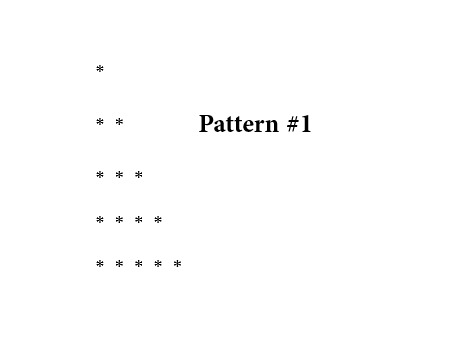
Pattern #1
🎨 What is Pattern Printing?
In Java, pattern printing is the process of creating visual structures on the console. It teaches you how to control two dimensions:
- Rows (Horizontal): Controlled by an "Outer Loop."
- Columns (Vertical): Controlled by an "Inner Loop."
By manipulating how many times the inner loop runs compared to the outer loop, you can create triangles, squares, diamonds, and more.
🔍 Code Breakdown: The Right-Angled Triangle
This specific code prints a classic Right-Angled Triangle. Let’s look at how the two loops work together:
🔳 The Outer Loop: for(int i = 1; i <= 5; i++)
- Role: This manages the Rows.
- Logic: It starts at 1 and goes up to 5. This means your pattern will have exactly 5 lines of stars.
- Action: After the inner loop finishes a row, this loop executes
System.out.println();, which moves the cursor to a new line.
🔳 The Inner Loop: for(int j = 1; j <= i; j++)
- Role: This manages the Columns (the number of stars in each row).
- Logic: Notice the condition
j <= i. This is the secret sauce! - When
iis 1, the inner loop runs 1 time. - When
iis 2, the inner loop runs 2 times. - This continues until the 5th row.
- Action: It executes
System.out.print("* ");, which prints stars side-by-side on the same line.
🚀 Execution Trace (Dry Run)
Here is exactly what the computer "thinks" while running your code:
- Row 1 (i=1): Inner loop runs once. Output:
* - Row 2 (i=2): Inner loop runs twice. Output:
* * - Row 3 (i=3): Inner loop runs thrice. Output:
* * * - Row 4 (i=4): Inner loop runs four times. Output:
* * * * - Row 5 (i=5): Inner loop runs five times. Output:
* * * * *
Written by : @Varnit_Baiswar
class pattern1
{
  public static void main()
  {
    for( int i = 1; i <= 5; i++){
      for( int j = 1; j <= i; j++){
        System.out.print("* ");
      }
      System.out.println();
    }
  }
}